

HappyMod APK – Download the Latest Version for Android
A free Android app store with thousands of community-rated mods for games and apps. No root, no subscription.
- Version 3.4.6
- About 20 MB
- Android 5.0+
- No root
- Free
Updated October 2026 · Safe install guide below
- Fast downloads
- Several mods per game
- Community ratings
- Mod requests
- Games & apps
- No root needed
HappyMod is a free Android app store for modded games and apps. Instead of paying to unlock levels, coins or premium tools, you pick a community-made mod, check how other players rated it, and install it in a few taps. This page has the latest HappyMod APK download for Android, a plain-English guide to installing it, and an honest look at the risks so you know exactly what you are getting.
Table of Contents
- What Is HappyMod?
- How HappyMod Works
- Why People Use HappyMod
- Popular HappyMod Games and Apps
- How to Download and Install HappyMod APK
- How to Use HappyMod the Smart Way
- Is HappyMod Safe?
- HappyMod vs Google Play Store
- HappyMod on iPhone and PC
- Fixing Common HappyMod Problems
- Pros and Cons of HappyMod
- Frequently Asked Questions
| App info | Details |
|---|---|
| App name | HappyMod |
| Latest version | 3.4.6 |
| File size | About 20 MB |
| Requires | Android 5.0 or higher |
| Root needed | No |
| Price | Free |
| Last updated | October 2026 |
What Is HappyMod?
Think of HappyMod (some people write it as “Happy Mod”) as a Play Store built by players, for players. Every game or app on it is a modified copy of the original, tweaked to remove a paywall, add unlimited currency, unlock all levels or strip out ads.
The twist is that most mods come from the community. Users upload them, other users test them, and every mod gets a rating and a “working” percentage. That rating is the most useful thing on the platform: it tells you whether a mod actually runs before you waste time downloading it.
HappyMod itself is just the store. It doesn’t change the games; it lists, rates and delivers them.
How HappyMod Works
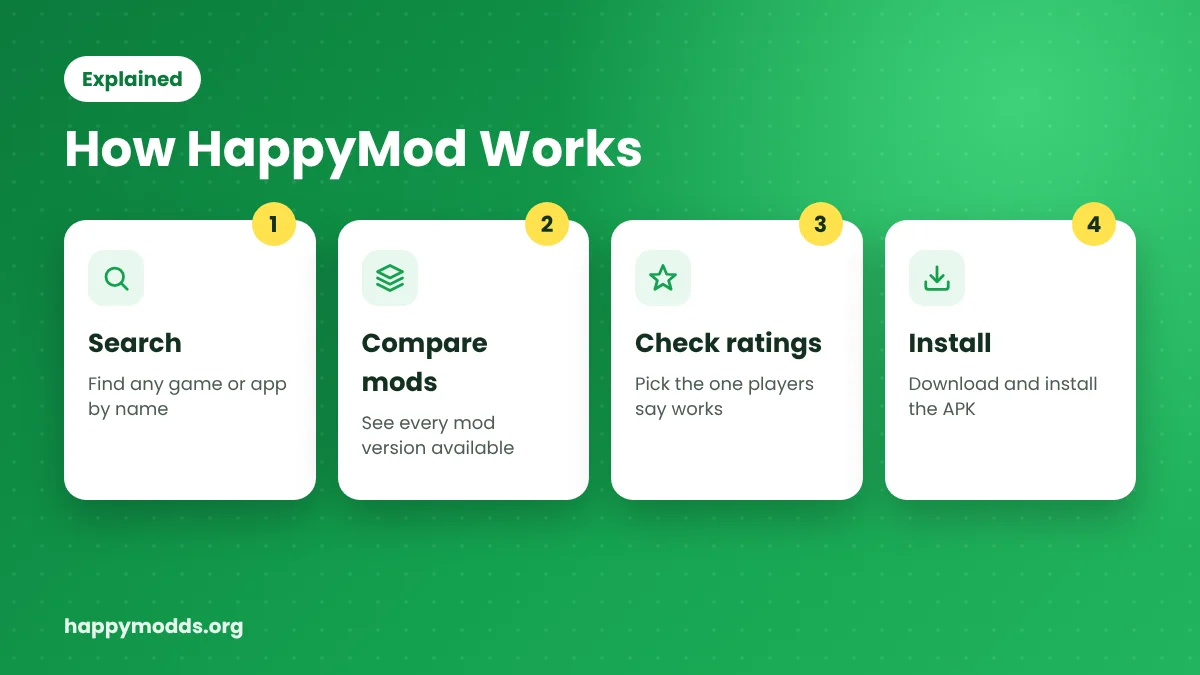
- You search for a game or app, for example Subway Surfers or CapCut.
- HappyMod shows every mod version available for it, such as “unlimited coins”, “premium unlocked” or “no ads”.
- Each version shows its rating, download count, file size and the original app version it was built on.
- You choose the one with the best rating, download it and install it like any other APK.
If a game has several mods, don’t grab the first one. Pick the version with the highest working rate and the most recent update; it saves a lot of crashes later.
Why People Use HappyMod
Thousands of mods in one place
You don’t need to search ten different websites for one game. Action, racing, strategy, offline games, photo editors and music apps all sit in one searchable library.
Real ratings before you download
Every mod shows how many users said it works. A mod rated 95% working is a much safer bet than one with no feedback at all.
Multiple versions of the same game
Unlimited money, all characters unlocked or no ads: pick the mod that fits how you play. Older versions stay available too.
Request a mod
Can’t find a mod for your favourite game? Send a request inside the app. Popular requests usually get picked up by the community.
Built-in download manager
Pause, resume and track several downloads at once. Handy for big games over a slow connection.
Light and free
About 20 MB, no root, no subscription, and available in English plus many other languages.
Popular HappyMod Games and Apps
| Games | Apps |
|---|---|
| Subway Surfers | CapCut |
| Minecraft | Spotify |
| GTA San Andreas | YouTube |
| Hungry Shark Evolution | PicsArt |
| Clash of Clans | TikTok |
| Roblox | Remini |
Availability changes often, because mods are added and removed by the community every day.
How to Download and Install HappyMod APK (Free)
HappyMod isn’t on Google Play, because Google doesn’t allow modded apps there. You download the HappyMod APK file and install it yourself instead. The whole HappyMod app download and setup takes about two minutes.
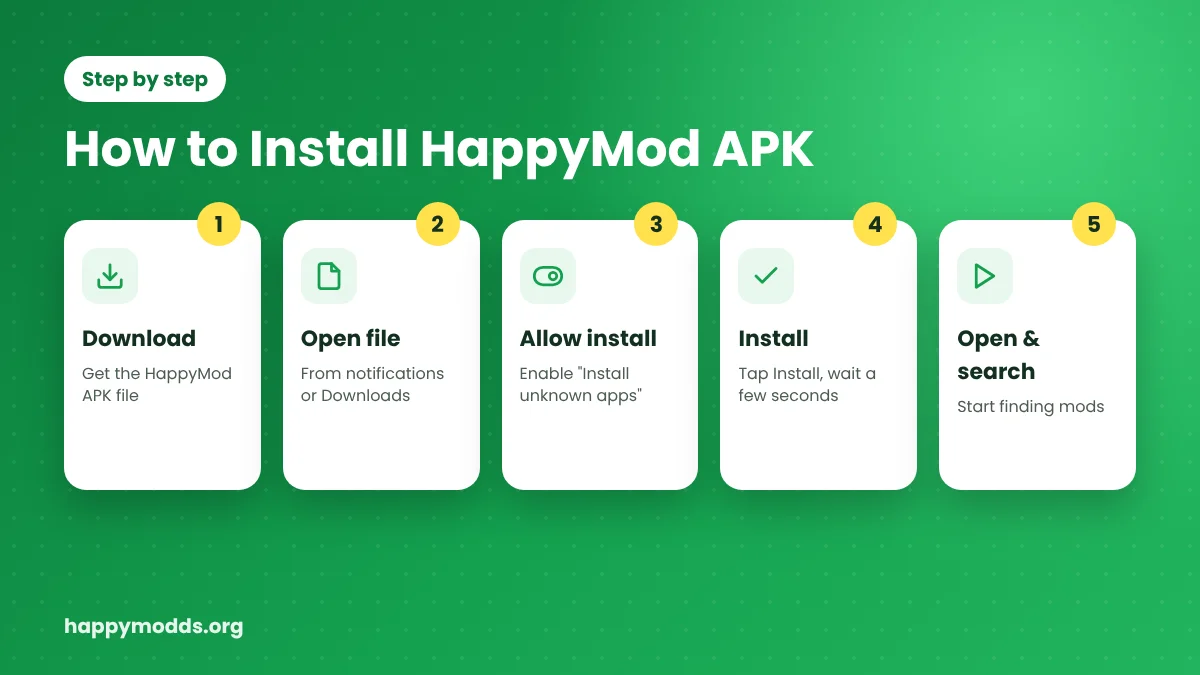
- Tap the Download HappyMod APK button on this page and wait for the file to finish.
- Open the file from your notification bar or the Downloads folder.
- If Android asks, allow your browser to Install unknown apps (Settings > Apps > your browser > Install unknown apps).
- Tap Install and wait a few seconds.
- Open HappyMod, allow storage access, and start searching.
After installing, you can switch “Install unknown apps” back off for your browser. It’s a small step that keeps your phone safer.
How to Use HappyMod the Smart Way
- Search by name, then open the game page to see every mod version.
- Read the mod details: what it changes, which original version it’s based on, and the file size.
- Check the rating and comments. Recent comments tell you if a mod broke after an update.
- Prefer offline games. Mods work best in single-player games.
- Keep a backup of your original game data if you care about your progress.
Is HappyMod Safe?
The honest answer: the HappyMod app itself is generally clean, but the mods inside it come from many different uploaders, so the risk depends on what you install. There are three things to keep in mind.
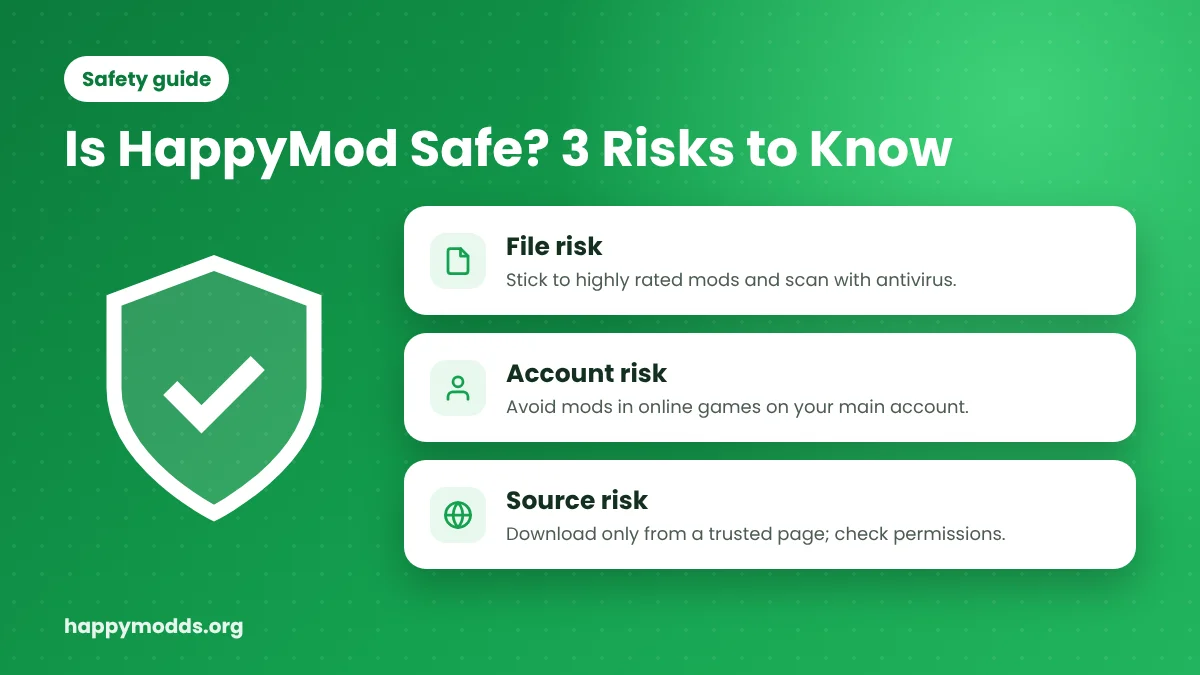
- File risk. A modded APK is changed code. Most are harmless, but a bad upload can carry adware or worse. Stick to highly rated mods and scan files with a trusted antivirus.
- Account risk. Using mods in online or multiplayer games (PUBG, Free Fire, Clash of Clans) can get your account banned. Never log in with a main account you care about.
- Source risk. Many sites copy the HappyMod name. Download only from a trusted page and avoid APKs that ask for odd permissions like SMS or contacts. If you get HappyMod from Uptodown or APKPure, compare the version number and file size with the latest release first.
Google Play Protect may warn you when installing. That warning appears for almost every modded APK, so read it carefully, scan the file, and decide for yourself.
HappyMod vs Google Play Store
| Feature | HappyMod | Google Play Store |
|---|---|---|
| Price of paid apps | Mod versions free | Pay full price |
| In-app purchases | Often unlocked in mods | Locked behind payment |
| Older app versions | Available | Usually not |
| Community ratings of mods | Yes | No mods at all |
| Official security checks | Community testing only | Google Play Protect review |
| Automatic updates | Manual | Automatic |
HappyMod on iPhone and PC
iPhone (iOS): There is no official HappyMod app for iOS. APK files only run on Android, so any site promising a “HappyMod iOS download” is offering something else, and it’s best avoided.
PC (Windows/Mac): HappyMod runs on a computer through an Android emulator such as BlueStacks or LDPlayer. We cover the full setup in our guide: How to install HappyMod on PC using emulators.
Fixing Common HappyMod Problems
| Problem | Quick fix |
|---|---|
| “App not installed” | Uninstall the original game first, free some storage, then install the mod again. |
| “There was a problem parsing the package” | The download was incomplete or the mod needs a newer Android version. Download it again or pick another version. |
| Very slow downloads | Switch between Wi-Fi and mobile data, or try another mod version hosted on a different server. |
| Modded game crashes on start | Choose an older or higher-rated mod version and clear the game’s cache. |
Pros and Cons of HappyMod
Pros
- Free, no subscription
- Huge library with real user ratings
- Several mod versions per game
- Old versions available
- Light (about 20 MB), no root
Cons
- Not on Google Play
- Mods can carry security risks
- Online games can ban modded accounts
- No official iOS app
- Mods break when the original game updates
Frequently Asked Questions
Yes. The app and its mods are free. HappyMod shows some ads to cover its costs, but there’s no subscription.
No. “HappyMod Pro” is just a name many websites use for the same app. There is no separate paid Pro version with extra features. The same goes for “HappyMod mod APK”: HappyMod is already free, so there’s nothing to unlock in the store itself.
No. It installs like any normal APK on a standard Android phone.
Google’s rules don’t allow apps that distribute modified copies of other apps, so HappyMod is only available as an APK.
In online and multiplayer games, yes, it’s possible. Use mods mainly in offline games and avoid using your main account.
Downloading the HappyMod app itself isn’t the problem; using modded copies of paid apps can break those apps’ terms of service and copyright rules. Check the laws in your country and use mods responsibly.
The app usually tells you when a new version is out. You can also download the latest APK from this page and install it over the old one; your mods stay on your phone.
Older versions exist, but the latest one has the newest fixes and works with more phones. Use an old version only if the new one doesn’t run on your device.
Final Thoughts
HappyMod is the easiest way to find working mods for Android games and apps, mostly because of its community ratings. Download the latest version, stick to highly rated mods, keep mods away from online accounts you care about, and you’ll get the fun without the headaches.